
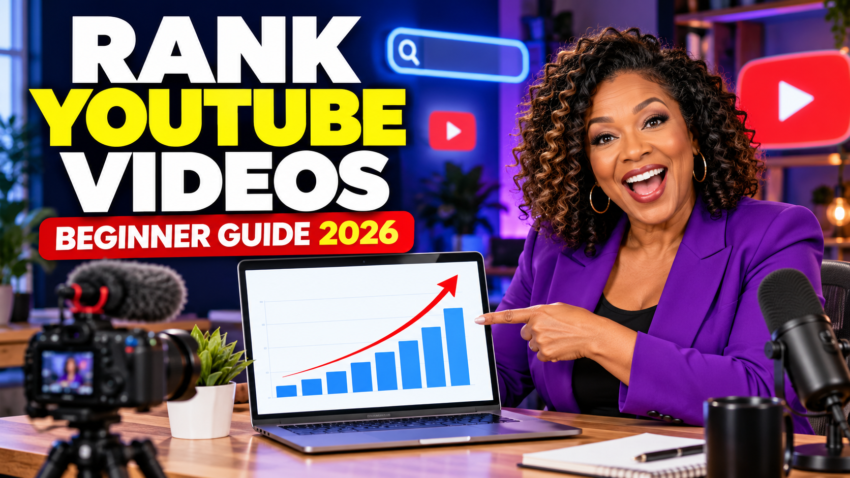
A simple, honest guide to getting more clicks, holding attention, and helping YouTube find the right viewers for your videos.
Let me save you some frustration right now: ranking on YouTube is not about stuffing the same keyword everywhere and praying over the upload button. Baby, if that worked, everybody with a laptop and 47 tags would be famous.
In 2026, YouTube still needs to understand what your video is about—but it also watches what real viewers do. Do they click? Do they keep watching? Does the video deliver what the title and thumbnail promised? Do satisfied viewers continue watching more videos?
That means good YouTube SEO has two jobs: help the right person find your video and give that person a reason to stay. This guide will show you how to do both without trying to trick the algorithm.
Watch the complete video without leaving this post.

What “Ranking” on YouTube Really Means
Your video can be discovered in several places, and each one works a little differently.
YouTube Search
YouTube looks at how well the title, description, and actual video match a search, along with how viewers respond to videos for that search.
Home
Home recommendations are personalized. Performance with similar viewers and each viewer’s watch and search history help shape what appears.
Suggested Videos
Suggested videos are chosen based on what someone is likely to watch next, including related topics and the viewer’s history.
Step 1: Start With One Clear Viewer Problem
Before you touch the camera, decide exactly who the video is for and what they want. Broad topics are harder for a small channel because you are competing against everybody.
Instead of making a video called YouTube Tips, try something more specific:
- How to Get Your First 100 YouTube Subscribers
- Why Your YouTube Videos Get Impressions but No Clicks
- How to Make a YouTube Thumbnail on Canva
- How to Improve Audience Retention in the First 30 Seconds
A specific topic tells the viewer, “This video is for your exact problem.” It also gives YouTube clearer information about who might want to watch.
Step 2: Find Keywords People Actually Use
You do not need an expensive tool to begin. Start by typing your topic into YouTube Search and looking at the autocomplete suggestions. Those suggestions can help you understand how people phrase their questions.
You can also use:
- The Research or inspiration tools available inside YouTube Analytics
- Google Trends to compare interest over time
- vidIQ or TubeBuddy for additional topic and competitor research
- Your own Analytics report showing the search terms already bringing viewers to your channel
- Comments where viewers ask follow-up questions
Step 3: Plan the Title and Thumbnail Before You Film
Your title and thumbnail work together. The title should explain the promise, while the thumbnail creates curiosity or emotion without repeating every word.
For a searchable beginner video, place the important phrase close to the beginning and keep the wording natural.
| Weak title | Stronger title | Why it is stronger |
|---|---|---|
| YouTube SEO Tips | How to Rank YouTube Videos in 2026: Beginner’s Guide | It names the outcome, platform, year, and audience. |
| Get More Views Fast!!! | Why Your YouTube Videos Aren’t Getting Views | It speaks to a real problem without making a fake promise. |
| My Thumbnail Tutorial | Make a Clickable YouTube Thumbnail in Canva | It tells viewers what they will make and which tool is used. |
YouTube says 90% of its best-performing videos have custom thumbnails. Keep yours simple, use strong contrast, make any text readable on a phone, and avoid filling every empty inch like you are decorating a holiday sweater.
Step 4: Win the First 30 Seconds
A click gets the viewer through the door. Your opening determines whether they stay.
In the first 30 seconds:
- Confirm that the viewer clicked the right video.
- State the problem and the result they will receive.
- Give them a reason to keep watching.
- Move into the useful information quickly.
You do not need a long logo animation, your complete life story, three apologies, and a weather report before reaching the point. Tell people what they came for.
Do not make the viewer work harder to get the answer than you worked to make the video.
Step 5: Make the Video Easy to Keep Watching
Audience retention shows where people stayed, skipped, rewatched, or left. If viewers repeatedly leave during a long introduction, that is not the algorithm being against you. That is your audience leaving a note without using a pen.

Improve retention by:
- Removing repeated explanations and long pauses
- Showing the example or demonstration early
- Changing visuals when the screen becomes stale
- Using simple language and clear transitions
- Previewing what is coming without dragging it out
- Making the video only as long as the topic requires
After publishing, check YouTube Studio → Content → Analytics → Engagement. Pay special attention to the first 30 seconds, major dips, and spikes. Then use those lessons in the next upload.
Step 6: Write a Useful Description
Your description should help viewers and YouTube understand the video. You do not need to repeat the same phrase 25 times.
- Use the first two lines wisely. Explain the video’s benefit before viewers click “more.”
- Include one or two main phrases naturally. Use the primary topic in the title and description without forcing it.
- Write a unique description. Do not paste the exact same paragraph under every video.
- Add chapters for longer videos. Start with 00:00 and use at least three useful timestamped sections.
- Link to the next helpful video or playlist. Give viewers somewhere relevant to go.
A Simple Description Template
In this video, you’ll learn how to [specific result] even if [beginner objection]. I’ll show you [point one], [point two], and [point three].
00:00 Introduction
00:35 First step
02:15 Common mistake
04:40 What to do next
Watch next: [related video link]
Helpful resource: [website or offer link]
Step 7: Stop Worrying So Much About Tags
YouTube itself says tags are not important for discovery and are mainly useful for common misspellings. Your title, thumbnail, description, video content, and viewer response matter more.
Use a few accurate tags if you want, especially for names that people often spell incorrectly. Then move on. Do not spend 45 minutes building a tag collection when your first 30 seconds still need work.
Step 8: Use Playlists, End Screens, and Related Videos
A good channel does not leave a viewer standing at a dead end. Group related videos into focused playlists and use an end screen to send viewers to the most natural next video.
For example, a beginner YouTube playlist could include:
- How to Choose a YouTube Niche
- How to Find Video Topics
- How to Make Better Titles and Thumbnails
- How to Read YouTube Analytics
- How to Turn YouTube Viewers Into Website Visitors
This gives viewers a clear path and helps your channel become known for a connected group of topics.
Step 9: Read Analytics Without Panicking
Please do not upload a video, refresh the page nine times, and declare your channel dead before lunch. New videos need enough impressions and viewer data before the numbers mean much.

| Metric | What it tells you | Question to ask |
|---|---|---|
| Impressions | How often YouTube showed your thumbnail in counted locations | Is YouTube finding audiences to test this with? |
| Click-through rate | How often a counted impression became a view | Are the title and thumbnail attractive and accurate? |
| Average view duration | The average time viewers watched | Did the video hold attention? |
| Audience retention | Where people stayed, rewatched, skipped, or left | Which exact moments should I improve or repeat? |
| Traffic source | Whether viewers came from Search, Home, Suggested, external links, or elsewhere | Where is this video winning? |
YouTube reports that half of channels and videos have an impressions click-through rate somewhere between 2% and 10%, but that is not a magic target. CTR changes by audience and traffic source. Compare your videos over time instead of borrowing somebody else’s number and worrying yourself sick.
If you have access to YouTube Studio’s Test & Compare feature, you can test up to three thumbnails on eligible long-form videos. YouTube evaluates the result using watch-time share, so the winning image is not merely the one that gets empty clicks.
Three YouTube SEO Myths to Leave Behind
“I must upload every day.”
No. YouTube says growth in views is not correlated with the time between uploads. Choose a schedule you can sustain and prioritize useful videos.
“The perfect posting time will rank me.”
Publish time is not known to affect long-term performance. It can help early viewing, especially for live streams and Premieres, but it is not a secret ranking button.
“More tags mean more views.”
No. Tags mainly help with misspellings. Spend that energy improving the topic, title, thumbnail, hook, and retention.
Your Beginner YouTube Ranking Checklist
- Choose one clear problem for one clear viewer.
- Check YouTube suggestions, Analytics, Trends, and audience questions.
- Create the title and thumbnail concept before filming.
- Deliver the promise in the first 30 seconds.
- Remove repeated, slow, or unnecessary sections.
- Write a unique description using one or two main phrases.
- Add chapters, a related playlist, and an end screen.
- Review CTR, retention, and traffic sources after enough data arrives.
- Use what you learned to make the next video stronger.
Frequently Asked Questions
How long does it take a YouTube video to rank?
There is no guaranteed timeline. A video may receive search traffic quickly, grow slowly over several months, or take off later when interest in the topic increases. Focus on relevance, viewer response, and improving your packaging.
Should beginners target high-volume keywords?
Not automatically. A smaller, specific phrase may bring fewer searches but attract viewers who are much more likely to click and watch. Relevance beats a big number that does not fit your audience.
Should I change a title or thumbnail after publishing?
Yes, when the current packaging is not working and you have enough data to make a reasonable decision. A change can affect how viewers respond, but avoid repeatedly changing a video that is already performing well.
Do likes and comments help a video rank?
They can be signals of viewer interest, but they are not the whole story. YouTube considers multiple signals, including whether people choose the video, how much they watch, and whether they appear satisfied.
Can an old video start getting views again?
Yes. Older videos can grow when a topic becomes popular, new viewers discover your channel, or a new related upload sends people back to earlier content.
Final Thoughts
YouTube SEO is not a bag of tricks. It is a system for making your topic clear, earning the click, delivering what you promised, and learning from real viewers.
Start with one helpful video. Give it a clear title. Create a thumbnail people can understand in one second. Get to the point. Then study the data without taking every dip personally. That is how beginners build momentum in 2026.
If you are also growing a website around your channel, read my guide to SEO for affiliate marketing and learn how affiliate marketing programs work.
Want to Build an Online Business Around Your Content?
Learn how to create a website, publish helpful content, and build a quieter path toward online income—one practical step at a time.
Explore the Quiet Money MethodAffiliate disclosure: Some links may be affiliate links. If you purchase through one of them, I may earn a commission at no additional cost to you. Results are never guaranteed and depend on your topic, content, audience, and effort.
Official YouTube Resources
- YouTube performance and discovery FAQ
- YouTube thumbnail and title tips
- YouTube video description tips
- Measure key moments for audience retention
- Test and compare thumbnails
YouTube features and recommendations can change. Check the official resources for the newest interface and eligibility details.