
|
Getting your Trinity Audio player ready...
|
If you’ve ever added products to a Shopify store, you know one of the most time-consuming tasks is uploading product images.
Uploading photos one at a time, matching them to the correct products, and organizing everything can take hours—or even days—if you have a large inventory.
The good news? There’s a much easier way.
That’s where Smart Bulk Image Upload comes in.
In this review, I’ll show you what the app does, who it’s best for, and whether it’s worth adding to your Shopify store.
What Is Smart Bulk Image Upload?
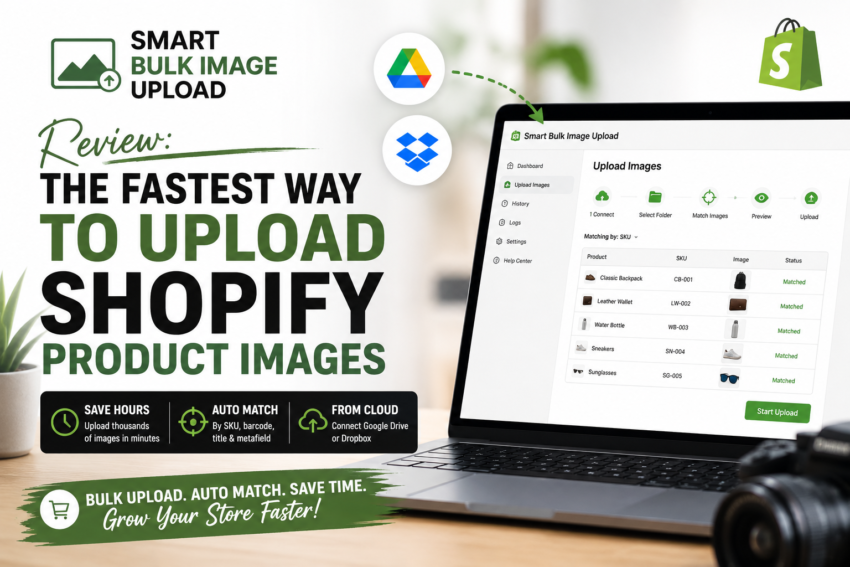
Smart Bulk Image Upload is a Shopify app designed to help merchants upload hundreds—or even thousands—of product images in just a few clicks.
Instead of uploading every image manually, the app imports images from Google Drive or Dropbox and automatically matches them to products using:
- SKU
- Barcode
- Product Title
- Metafields
It also lets you preview matches before uploading, helping reduce mistakes and save valuable time. The app is built for Shopify, includes a free plan, and supports automatic image resizing and SEO-friendly alt text generation.
Why I Like This App
Whether you’re launching a new Shopify store or managing thousands of products, repetitive image uploads can slow your business down.
Here are a few features that stood out to me:
✅ Bulk Upload Images
Upload dozens, hundreds, or even thousands of images at once instead of adding them individually.
✅ Automatic Product Matching
The app intelligently matches images to products using SKUs, barcodes, titles, or metafields, reducing manual work and minimizing errors.
✅ Google Drive & Dropbox Integration
No need to upload files to your computer first.
Simply connect your cloud storage and import directly.
✅ Replace or Keep Existing Images
You decide whether new images should replace current product photos or be added alongside them.
✅ SEO-Friendly Alt Text
The app can automatically create alt text for product images, which may help improve accessibility and image SEO.
Who Is This App Best For?
I recommend Smart Bulk Image Upload if you:
- Own a Shopify store
- Sell hundreds or thousands of products
- Frequently update inventory
- Import products from suppliers
- Want to save hours of repetitive work
If you only have a handful of products, you may not need a bulk upload solution. But as your catalog grows, this app can become a real time-saver.
What Are Other Shopify Merchants Saying?
One reason this app caught my attention is its reputation on the Shopify App Store.
At the time of writing, it has a 5-star rating from more than 90 reviews. Merchants frequently mention that it saved them significant time and praise the responsive customer support. One reviewer described successfully uploading more than 12,000 images for a catalog containing over 40,000 SKUs with help from the developer’s team.
Is There a Free Plan?
Yes.
If you’d like to try the app before paying, there’s a free plan that allows you to upload up to 25 images. That makes it easy to test the workflow before deciding whether you need one of the paid plans.
Watch It in Action
If you’d like to see exactly how it works before installing it, the developer has published tutorial videos demonstrating the setup process, image matching, and bulk upload workflow.
One of the official demos walks through connecting Google Drive, selecting a folder, choosing a matching method, previewing the results, and uploading everything into Shopify. I will leave it below
Final Thoughts
Managing product images shouldn’t be the hardest part of running an online store.
If you’re spending hours uploading images manually, Smart Bulk Image Upload could help automate one of the most repetitive jobs in your Shopify workflow.
Between bulk uploads, automatic image matching, cloud storage integration, and SEO features, it’s a practical tool for merchants who want to spend less time managing products and more time growing their business.
👉 Try Smart Bulk Image Upload Here
Disclosure: This post contains an affiliate link. If you purchase through my link, I may earn a commission at no additional cost to you. I only recommend tools I believe could provide value to my readers.