
|
Getting your Trinity Audio player ready...
|
CapCut PC Review 2026: Is This the Best Video Editing Software for YouTube?
CapCut isn’t just that little TikTok editing app anymore.
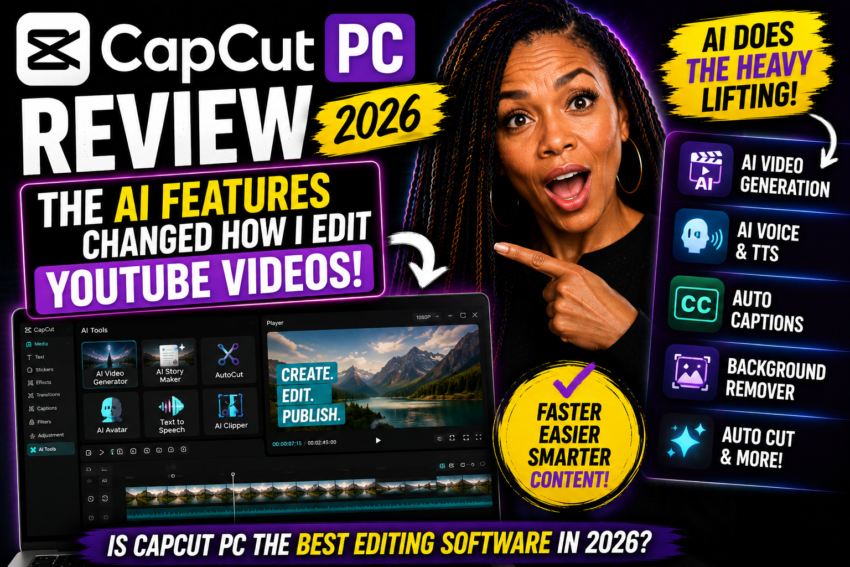
AI video creation. Auto captions. Smart editing. Background removal. Text-to-speech. Color grading. Keyframes.
The question is: Do YouTubers still need complicated editing software?
Okay y’all…
I remember when CapCut was the app you opened when you needed to throw together a quick TikTok.
Trim this.
Add some captions.
Throw some music on it.
DONE. 😂
But CapCut PC in 2026?
Baby…we need to talk.
Because CapCut has been steadily turning its desktop software into a much more serious video-production tool.
And with all the AI features being added, I wanted to answer a question a LOT of creators are probably asking:
Is CapCut PC actually good enough to edit your YouTube videos?
This article contains affiliate/referral links. If you sign up or make an eligible purchase through one of my links, I may receive compensation at no additional cost to you. I only recommend that you evaluate the product for your own needs before purchasing.
What Is CapCut PC?
CapCut PC is the desktop version of CapCut’s video-editing platform.
It gives creators a traditional desktop editing environment while also incorporating AI-powered tools designed to make editing faster.
And that’s what makes it interesting.
You’re not choosing between:
AI editing OR manual editing.
CapCut is increasingly giving you both.
🎯 The CapCut PC Idea
Let AI handle some of the boring stuff.
Let YOU handle the creative stuff.
That’s where I think CapCut starts becoming especially useful for YouTube creators.
The CapCut AI Features That Got My Attention
Let’s get into the fun stuff.
🤖 AI-Assisted Video Editing
One of the biggest changes in video editing is AI’s ability to help with the rough-cut process.
CapCut’s current PC workflow includes AI-assisted editing tools that can help creators tighten existing footage and reshape content for different uses.
That can be especially useful when you’re working with:
- Talking-head videos
- Product demonstrations
- Interviews
- Webinars
- Long-form YouTube footage
Instead of manually wrestling with every second of the rough cut, AI can help you get closer to the version you actually want to polish.
📝 Script-to-Video
This is where CapCut starts moving beyond traditional editing.
CapCut Desktop offers script-to-video functionality that can help turn an idea or written script into video content.
CapCut’s AI Writer can also help generate a script from an idea.
Then Smart Generation can help build a video with elements such as subtitles, narration and music.
That’s a BIG difference from manually starting with an empty timeline.
💬 Auto Captions
If you’ve ever manually captioned a video…
You already know why I love this. 😂
CapCut can automatically generate captions from your video or audio.
For YouTube Shorts, TikToks, Reels and even sections of long-form YouTube videos, this can save a significant amount of editing time.
✂️ Auto Cut
CapCut’s Auto Cut uses AI to analyze footage and audio and create automatic cuts.
Depending on the workflow, it can use elements such as:
- Music beats
- Speech pauses
- Text-based instructions
This can be particularly useful for fast-paced content such as Reels, Shorts, TikToks, montages and promotional videos.
📱 Auto Reframe
You made a beautiful 16:9 YouTube video.
Now you want a vertical version.
Welcome to the life of a content creator. 😂
Auto Reframe can help resize content for different aspect ratios while attempting to keep the important subject in frame.
That makes it easier to repurpose one piece of content across multiple platforms.
🔍 Smart Search
This feature becomes more valuable as your projects get bigger.
CapCut’s Smart Search can help locate media based on things such as objects, speech, people and environments.
So instead of scrolling through:
clip001.mp4…
clip002.mp4…
clip003_FINAL_FINAL_REALFINAL.mp4… 😂
AI can help you find the footage you need faster.
🪄 AI Background Removal
CapCut includes automatic cutout/background-removal tools.
That can make it much easier to isolate yourself or another subject without manually masking every frame.
For YouTubers, that opens up all kinds of possibilities for:
- Green-screen-style effects
- Product videos
- Talking-head videos
- Shorts
- Creative B-roll
🗣️ Text-to-Speech
Don’t want to record every line yourself?
CapCut also includes text-to-speech capabilities that can convert written text into generated narration.
That can be useful for faceless videos, B-roll sequences, explainers and other projects where you need narration.
CapCut Still Gives You REAL Editing Tools
This is important.
CapCut isn’t only throwing AI buttons at you.
The desktop editor also provides traditional creative controls such as:
- Timeline editing
- Keyframes and graphs
- Color wheels and color adjustment
- Effects and filters
- Scene detection
- Transitions
- Keyboard shortcuts
- Audio editing tools
- Text and captions
- Multiple aspect ratios
I don’t necessarily want AI making EVERY creative decision. I want AI speeding up repetitive tasks while still giving me control over how my final video looks.
Is CapCut PC Good for YouTube?
Yes, I think CapCut PC can make a lot of sense for YouTube creators.
Especially if you’re creating:
Talking-Head Videos
Cut pauses, add B-roll, captions, zooms, graphics and polish your presentation.
YouTube Shorts
Create vertical edits, captions and fast-paced cuts for short-form content.
Faceless Videos
Combine AI-assisted creation, stock media, narration and manual editing.
Product Reviews
Combine talking-head footage with screen recordings, product clips, text and B-roll.
Tutorials
Create screen-based educational videos with captions, highlights and voiceovers.
Business Videos
Create promotional content, explainers, social videos and branded content.
CapCut PC vs Premiere Pro
Now we have to talk about the elephant in the editing room.
Do you still need Premiere Pro?
For some creators?
Absolutely.
Professional editors working on highly complex productions may need advanced workflows, integrations and specialized tools that go beyond what a simpler editor provides.
But here’s the other side.
A lot of YouTubers are NOT editing Hollywood movies.
They’re editing:
Talking-head videos.
Reviews.
Tutorials.
Vlogs.
Shorts.
Podcasts.
Business content.
For that type of creator, the question becomes:
Do I Need the Most Powerful Editor?
Or…
Do I need the editor that lets me finish my video the fastest without sacrificing the quality my audience actually notices?
What I Like About CapCut PC
👍 Beginner Friendly
You can start doing useful edits without spending months learning a complicated professional interface.
👍 AI + Manual Editing
You get automation without completely giving up control.
👍 Great for Social Content
CapCut’s roots in short-form content still make it especially useful for Shorts, Reels and TikToks.
👍 Useful for YouTubers
The desktop workflow gives creators enough control to produce much more than quick social clips.
What I Don’t Love
👎 AI Features Can Vary
Some AI features may be limited by region, account, platform, subscription or rollout status.
👎 Some Features Cost Extra
Don’t assume every tool you see demonstrated online will necessarily be included in your current plan.
👎 It’s Still Software
AI can speed up editing, but you’re still responsible for storytelling, accuracy and quality.
👎 Professionals May Need More
Advanced editors with complex professional workflows may still prefer more specialized software.
Who Should Try CapCut PC?
- New YouTube creators
- YouTubers who want faster editing
- Small-business owners
- Affiliate marketers creating review videos
- TikTok creators
- Instagram creators
- Course creators
- Online entrepreneurs
- People creating faceless content
- Creators who don’t want to learn complicated editing software
Want to Try CapCut PC?
If you want to see whether CapCut fits YOUR editing workflow, you can check it out through my link below.
Don’t choose an editor because everybody else uses it. Choose the editor that helps YOU actually finish and publish.
CHECK OUT CAPCUT PC →Affiliate/referral disclosure: I may receive compensation from eligible signups or purchases made through this link at no additional cost to you. Features, offers and pricing can change.
Can CapCut Help You Make Money?
This is Success With Trecia, so you already know we’re going to talk about the business side too. 😂
CapCut itself isn’t some magical money button.
But video editing IS a valuable skill.
You could potentially use those skills to create:
- YouTube videos
- Affiliate product reviews
- Short-form videos for businesses
- Social-media content for clients
- Promotional videos
- Online course content
- Faceless content
- Digital marketing videos
The tool doesn’t create the business.
The skill + audience + offer + execution create the opportunity.
Want to Build an Online Business Around Your Content?
This is where I want to connect the dots.
Learning how to create videos is one skill.
But if your bigger goal is building an online business, you also need to understand things like:
- Choosing a niche
- Building a website
- Finding topics people search for
- Creating useful content
- Getting traffic
- Affiliate marketing
- Monetizing an audience
That’s why I also recommend learning the BUSINESS side of content creation—not just the editing side.
Want to Learn How to Build the Business Too?
You can create beautiful videos all day long.
But if your goal is to turn content into an online business, you also need a strategy for traffic, audience building and monetization.
If affiliate marketing and online business are the direction you want to explore, you can start through my Success With Trecia link.
START BUILDING YOUR ONLINE BUSINESS →Affiliate disclosure: I may receive compensation from qualifying memberships or purchases through this link at no additional cost to you. No income or business result is guaranteed.
My Recommended Creator Workflow
Research the Question
Start with something your audience is already trying to understand.
Create the Video
Record yourself, capture your screen or use appropriate AI-assisted creation tools.
Edit in CapCut
Use AI to speed up repetitive work and manual editing to add your personality.
Publish on YouTube
Create a strong title, thumbnail and description based on what your target viewer wants to know.
Turn the Video Into an Article
Embed your YouTube video into a useful blog article and expand on the topic for readers who prefer written content.
Repurpose It
Turn the original video into Shorts, Reels, TikToks, emails and additional social content.
Don’t create one video and throw it onto YouTube hoping something happens. Create one useful piece of content and turn it into multiple assets working across your business.
CapCut PC Review 2026: My Verdict
So—is CapCut PC the best video editor for YouTube?
I don’t think there’s one editor that’s “best” for every person.
But for creators who want:
- Easy editing
- Strong social-media tools
- AI assistance
- Desktop editing
- Manual creative control
- A less intimidating learning curve
CapCut PC deserves serious consideration.
🏆 MY BOTTOM LINE
If you’re making Hollywood movies, this probably isn’t the conversation you’re looking for. 😂
But if you’re making YouTube videos, Shorts, tutorials, reviews, social content or online-business videos…
CapCut PC may give you more than enough editing power without making video editing your second full-time job.
Frequently Asked Questions
Is CapCut PC good for YouTube?
Yes. CapCut Desktop includes timeline editing, captions, keyframes, color controls, effects, AI-assisted tools and other features that can be useful for YouTube production.
Is CapCut PC free?
CapCut offers free access to its desktop editor, but some tools, AI capabilities, assets or advanced features may require additional credits or a paid plan. Check the current offer before purchasing.
Does CapCut PC have AI editing?
Yes. CapCut currently offers multiple AI-assisted editing and creation features. Exact availability can vary depending on the feature, platform, account and region.
Can CapCut automatically edit videos?
CapCut provides tools such as Auto Cut and AI-assisted editing that can automate parts of the editing process. You should still review and manually polish AI-generated edits before publishing.
Is CapCut easier than Premiere Pro?
Many beginners may find CapCut’s interface and creator-focused workflow easier to approach. Premiere Pro provides extensive professional capabilities, so the better choice depends on the complexity of your projects and the amount of control you need.
Can I use CapCut for YouTube Shorts?
Yes. CapCut is particularly well suited to vertical short-form content because of its captions, effects, aspect-ratio tools, templates and fast editing workflow.
Can I make faceless YouTube videos with CapCut?
Yes. CapCut can be used to combine scripts, narration, stock or generated visuals, captions, music and other elements needed for faceless video production.
Ready to Try It?
The only way to know whether an editing program fits YOUR workflow is to actually use it.
So test it.
Edit a real video.
Try the AI tools.
See how long it takes you to go from raw footage to something you’re proud to publish.
TRY CAPCUT PC →And if you’re ready to learn how to turn your content into part of a larger online business:
LEARN HOW TO BUILD YOUR ONLINE BUSINESS →Final Thoughts
I don’t think AI is going to eliminate the need for video creators.
I think it’s going to eliminate a lot of the repetitive work video creators hate doing.
And I’m perfectly okay with that. 😂
Let AI help find the clips.
Let it generate the captions.
Let it help with the rough cut.
Let it resize the video.
Let it remove the background.
Then YOU come in and decide:
Is this entertaining?
Does this make sense?
Does this sound like me?
Would my audience actually want to watch this?
Because AI can speed up the edit—but YOU still have to give people a reason to watch.
This article is for educational and informational purposes. CapCut features, AI tools, pricing, credits and availability can change and may vary by region, device, account or subscription. Affiliate and referral programs may also change. Always review current product terms before purchasing. No income, audience growth, YouTube performance or business result is guaranteed.