

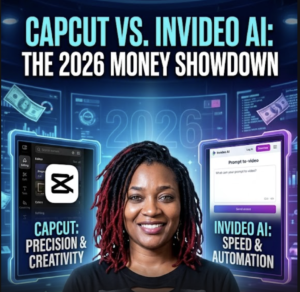
CapCut vs InVideo AI: Which AI Video Editor Is Actually Better in 2026?
CapCut can now generate videos with AI. InVideo can practically build an entire video from a conversation.
So which one should YOU actually use?
I compared them based on what you’re actually trying to create.
Okay y’all…
AI video editing has gotten ridiculous.
And I mean ridiculous in a GOOD way. 😂
A few years ago, making a polished video meant sitting at your computer cutting clips…
Adding captions…
Searching for B-roll…
Recording a voiceover…
Finding music…
Fixing transitions…
Then realizing at 1:47 in the morning that you forgot to spell-check the title. 😂
Now we’re looking at tools that can generate scripts, voices, images, footage, captions and sometimes entire videos using AI.
Two of the biggest names creators keep running into are CapCut and InVideo AI.
But they’re not exactly the same kind of tool.
Choose CapCut if you want stronger hands-on editing control, social-media editing tools and the ability to manually polish your content.
Choose InVideo AI if you want AI to handle more of the production process—from idea or script through visuals, voiceover, music and assembly.
Watch My CapCut vs InVideo Comparison
I originally created this comparison because these tools represent two different ways of making videos.
Watch the video first, then keep reading because both platforms have continued adding AI features.
CapCut vs InVideo AI: The Biggest Difference
Here’s the easiest way I can explain it.
CapCut = Creator + AI Editor
CapCut gives you a traditional editing environment plus a growing collection of AI tools.
You can generate content with AI, but you can also get into the timeline and control the details yourself.
InVideo = AI Production Assistant
InVideo AI is increasingly built around telling AI what you’re trying to create and letting the system help execute the production.
That can include scripting, storyboarding, visuals, stock footage, voiceovers, music and editing.
Think of It Like This…
CapCut: “Give me the editing room and some AI assistants.”
InVideo AI: “Here’s my idea. Help me produce the video.”
CapCut in 2026: It’s Not Just a TikTok Editor Anymore
This is one thing I wanted to correct from my original article.
Calling CapCut simply a manual social-media editor doesn’t really describe what the platform has become.
CapCut now combines traditional video editing with a large collection of AI creation and editing tools.
🤖 AI Video Generation
CapCut can generate video content from text prompts and scripts, depending on the tool and region you’re using.
🗣️ Text-to-Speech
Turn written scripts into AI-generated narration without recording every line yourself.
💬 Automatic Captions
Automatically generate captions and subtitles to speed up the editing process.
✂️ AutoCut & AI Clipping
AI can help identify clips and create faster edits from longer pieces of content.
🧍 AI Avatars
CapCut offers AI avatar and character tools for creating presenter and character-driven content.
🌎 AI Translation
AI translation tools can help creators adapt video content for additional languages.
🪄 Background Removal
Remove backgrounds and isolate subjects without manually masking every frame.
🎨 Manual Editing
You still have the ability to control transitions, effects, timing, text, audio and other creative details yourself.
It gives you AI assistance without taking the editing controls away from you. That’s valuable when you want AI speed but still want the finished video to look and feel like YOUR content.
Who Is CapCut Best For?
- YouTube creators
- TikTok creators
- Instagram Reel creators
- YouTube Shorts creators
- Personal brands
- Creators who film their own footage
- People who want detailed control over the final edit
- Creators who want both manual editing and AI tools
Where CapCut Can Be Frustrating
The advantage of having more control is also the disadvantage.
You still have decisions to make.
Which clips?
Which cuts?
Which transitions?
Which captions?
Which B-roll?
AI can speed things up, but if you’re building a longer video from scratch, you may still spend significant time editing.
For somebody who LOVES editing, that’s fine.
For somebody who just wants:
“Baby, take this script and MAKE THE VIDEO.” 😂
That’s where InVideo AI becomes interesting.
InVideo AI in 2026: From Prompt to Production
InVideo AI takes a more automation-heavy approach.
You can start with an idea, prompt or existing script and have AI help construct the finished video.
Depending on the workflow, that can involve:
- Writing or using your script
- Creating a storyboard
- Selecting or generating visuals
- Finding stock footage
- Generating voiceovers
- Adding subtitles
- Selecting music
- Assembling scenes
- Editing through natural-language instructions
Instead of learning every individual editing tool, you’re increasingly telling an AI agent what you want the finished project to accomplish.
InVideo’s AI Agent Changes the Comparison
This is another major reason I wanted to update this article.
InVideo has moved beyond the simple:
“Type one prompt → get one generic AI video.”
Its newer agent workflow is designed more like a conversation with a creative team.
You give the system your idea, script, style, references and goals.
Then you can continue directing the project through conversation.
InVideo says its agent can route production work across more than 200 AI image, video, audio and music models.
That’s a significant difference for people who don’t want to manage a separate AI tool for every part of production.
What About Stock Footage?
This is one area where InVideo has a particularly strong workflow.
InVideo currently says its Agent Two stock system can access more than 16 million premium video clips, images and music tracks.
Instead of manually hunting through a stock library, the AI can select footage based on what the project needs.
For explainer videos, documentaries, business videos and faceless YouTube content, that can save a LOT of searching.
The Old Workflow
Write script → search stock website → download clip → import clip → find music → record voiceover → edit everything.
The AI Workflow
Explain the project → AI helps script → selects/generates media → adds voice → adds music → assembles → you review and revise.
CapCut vs InVideo AI: Side-by-Side
| Category | CapCut | InVideo AI |
|---|---|---|
| Best Overall Use | Hands-on content editing | AI-assisted video production |
| Short-Form Content | Excellent | Very Good |
| Manual Editing Control | Winner | More AI-directed |
| Prompt-to-Video | Yes | Core strength |
| Faceless Videos | Very Good | Excellent |
| Stock-Based Videos | Available | Strong AI-assisted workflow |
| Social-Media Editing | Winner | Good |
| AI Voiceovers | Yes | Yes |
| AI Avatars | Yes | Yes |
| Beginner Automation | Good | Excellent |
| Best For Editors | CapCut | — |
| Best For Non-Editors | Good | InVideo AI |
Which Is Better for YouTube?
This depends on what kind of YouTube channel you’re building.
🎥 Talking-Head YouTube
My pick: CapCut
If you record yourself and need to cut footage, add B-roll, captions, zooms, sound effects and graphics, CapCut gives you more hands-on editing control.
🤖 Faceless YouTube
My pick: InVideo AI
If you primarily have a topic or script and need AI to help create the visuals, narration and finished structure, InVideo makes more sense.
Which Is Better for YouTube Shorts?
🏆 Winner: CapCut
For Shorts, TikToks and Reels, I would generally choose CapCut.
Its editing workflow makes it especially useful when timing, captions, effects, cuts and visual hooks matter more than having AI construct an entire long-form production.
Which Is Better for Faceless YouTube Channels?
🏆 Winner: InVideo AI
If your goal is producing faceless explainers, educational content, documentaries or list-style videos from scripts, InVideo AI’s automation can eliminate more production steps.
You still need to fact-check, review the footage and make sure the finished video provides genuine value.
Which Is Better for Beginners?
Here’s where it gets tricky.
CapCut is easy to learn as an editor.
But you’re still learning editing.
InVideo AI can require less traditional editing knowledge.
You’re learning how to direct the AI and evaluate the output instead.
So I’d say:
Want to learn video editing?
Start with CapCut.
Don’t WANT to become a video editor?
Take a closer look at InVideo AI.
Which Is Better for Business Owners?
If you’re a small-business owner who needs:
- Product videos
- Explainer videos
- Social media content
- Advertisements
- Educational videos
- Training content
I’d base the decision on your workflow.
If you’re filming the content yourself and want to polish it: CapCut.
If you want to start with an idea, script or product information and automate more of production: InVideo AI.
Can You Make Money With CapCut or InVideo?
Yes—potentially.
But let’s clear something up.
Buying video software does not create income.
You need to use the software to create something valuable.
💼 Short-Form Editing
Edit Reels, Shorts and TikToks for businesses and creators using CapCut.
🎬 Faceless Video Production
Use AI-assisted production to create videos for clients or your own content properties.
📢 Marketing Videos
Create promotional and explainer videos for small businesses.
♻️ Content Repurposing
Turn longer content into additional videos and short-form assets.
AI video tools can make production faster. They do not guarantee views, customers, clients, monetization or income. The business is still built around solving a problem people will pay to have solved.
The Strategy I Actually Like: Use Both
Here’s where this comparison gets interesting.
You may not actually need to choose one forever.
A powerful workflow could look like this:
STEP 1 — CREATE
Use InVideo AI to help develop your script, structure, B-roll, voiceover and first version.
↓
STEP 2 — POLISH
Bring the finished material into CapCut when you want more detailed creative control.
↓
STEP 3 — ADD YOUR BRAND
Add your pacing, captions, humor, graphics, effects and visual identity.
↓
STEP 4 — PUBLISH
You get AI production speed without completely giving up the human creative touch.
What About Other AI Video Editors?
CapCut and InVideo aren’t your only options.
Depending on what you’re trying to accomplish, you may also encounter tools focused on:
- Professional timeline editing
- AI avatars
- Text-to-video generation
- Long-form content repurposing
- AI filmmaking
- Marketing videos
That’s why I don’t believe in asking:
“What is THE best AI video tool?”
Ask:
“What is the best tool for MY workflow?”
My Final CapCut vs InVideo AI Verdict
🏆 Choose CapCut If…
- You create Shorts, Reels or TikToks.
- You film yourself.
- You enjoy editing.
- You want detailed creative control.
- You want AI tools inside an editor.
- You want to develop editing skills.
🏆 Choose InVideo AI If…
- You want AI to handle more production.
- You make faceless content.
- You work from scripts or ideas.
- You need lots of B-roll.
- You don’t want to manually edit everything.
- You need to produce content at greater scale.
🥇 Overall Winner?
There isn’t one.
I know. That’s not as exciting as yelling “THIS ONE DESTROYS THE OTHER ONE!” 😂
But they’re increasingly solving different parts of the video creation problem.
CapCut wins when I want to EDIT.
InVideo AI wins when I want AI to help PRODUCE.
Frequently Asked Questions
Is CapCut better than InVideo AI?
CapCut may be better for creators who want hands-on timeline editing and detailed creative control. InVideo AI may be better for users who want AI to automate more of the video-production process.
Is InVideo AI better for faceless YouTube?
InVideo AI can be particularly useful for faceless video workflows because it can help with scripts, visuals, stock footage, voiceovers, music and assembly. The finished content should still be reviewed for accuracy, originality and quality.
Can CapCut make AI videos?
Yes. CapCut now offers multiple AI video-generation and AI-assisted editing features in addition to its traditional editing tools. Availability can vary by region and product version.
Which is easier for beginners?
CapCut is approachable for beginners who want to learn video editing. InVideo AI may require less traditional editing because users can direct more of the production through prompts and conversational instructions.
Which is better for YouTube Shorts?
I generally prefer CapCut for Shorts because creators have more direct control over timing, captions, cuts, effects and other short-form editing elements.
Can I use CapCut and InVideo AI together?
Yes. One possible workflow is using InVideo AI for initial production and then using CapCut for additional editing and creative polish. Always check the applicable export, licensing and usage terms for your particular project.
Which One Would I Choose?
If I’m editing MY footage for YouTube or social media: CapCut.
If I have an idea or script and want AI to do more of the production: InVideo AI.
And if the project really matters?
I’d use AI for speed and human editing for personality.
Final Thoughts
AI isn’t killing video editing.
It’s changing what the editor actually has to do.
Instead of spending all your time cutting clips and hunting for stock footage, more of your job can become:
Choosing the idea.
Directing the story.
Checking the facts.
Improving the hook.
Adding personality.
Deciding what deserves to stay.
And THAT is why I don’t think the winner of CapCut vs InVideo AI comes down to which software has the longest feature list.
The winner is whichever one removes the work you hate without removing the creativity your audience loves.
I’m Trecia, and on Success With Trecia I test AI tools, software and online-business strategies to help you figure out what’s actually worth using.
This article is for educational and informational purposes. Software features, pricing, AI models and availability can change. Some AI features may vary by region, device or subscription level. Always review current product terms and licensing requirements before using generated or stock content commercially.