|
Getting your Trinity Audio player ready...
|
MagicLight AI Review 2026: Turn Your Ideas Into Full AI Videos
What if you could type an idea or paste a script and have AI turn it into a complete video with characters, scenes, voices, subtitles and animation? Let’s take a look at MagicLight AI.
Try MagicLight AI → ▶ Watch My Video
AI video creation is getting a little crazy—in a good way.
Not long ago, creating an animated video meant writing a script, finding images, recording a voiceover, editing scenes, adding music, creating subtitles and then trying to make everything look like it actually belonged together.
Now AI tools are trying to handle that entire process for you.
And MagicLight AI is one of the tools taking that idea much further.
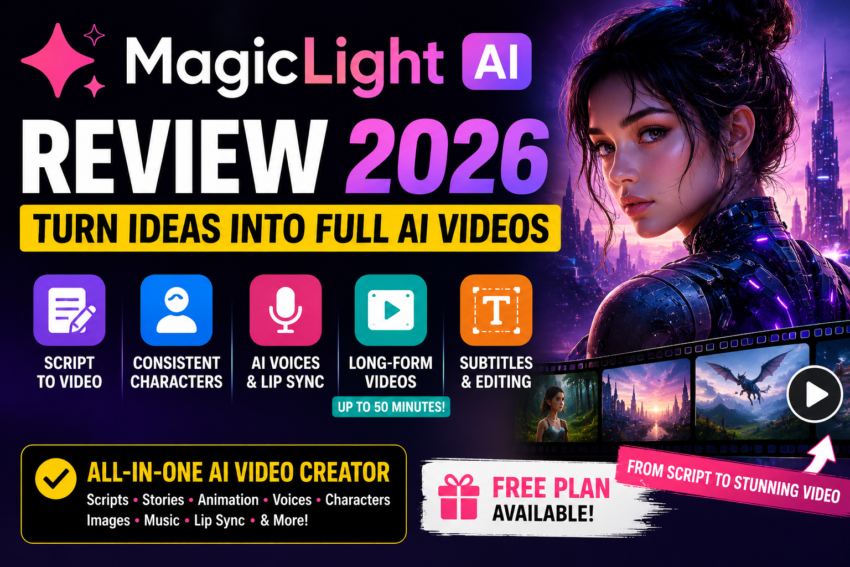
MagicLight is designed to turn ideas, scripts and stories into complete videos rather than just generating a few short AI clips.
According to MagicLight, the platform can create videos up to 50 minutes long while maintaining characters and visual continuity across multiple scenes.
✨ What Is MagicLight AI?
MagicLight AI is an AI video creation platform built for generating complete videos from text, scripts, stories and images.
Its tools include script-to-video, text-to-video, story-to-video, image-to-video, AI animation, avatars, voice cloning, lip sync, subtitles and AI video editing.
The platform is especially interesting for creators who want to make story videos, educational content, explainers, faceless YouTube videos, animated content and other videos without doing every production step manually.
🎥 Watch My MagicLight AI Video
Want to see MagicLight AI in action? Watch my video below.
Want to Create Your First AI Video?
MagicLight offers a free way to try its video creation workflow, so you can experiment before deciding whether it’s right for you.
Try MagicLight AI →Affiliate disclosure: I may earn a commission if you purchase through my link, at no additional cost to you.
What Can MagicLight AI Do?
Paste a script and turn it into a complete scene-based video.
Start with an idea or text description and generate video scenes.
Transform longer stories into structured visual narratives.
Keep recurring characters recognizable throughout your scenes.
Add narration and different voices to characters.
Create projects that can extend far beyond typical short AI clips.
From an Idea to a Finished AI Video
Idea → Script → Characters → Scenes → Voices → Video
1. Turn a Script Into a Video
This is one of MagicLight’s most useful features for content creators.
If you already have a script, you can paste it into the script-to-video generator and let MagicLight build scenes around your written content.
The platform currently supports scripts of up to 12,000 characters and projects up to 50 minutes. It also offers multiple visual styles, animation models and voice options.
That means you don’t necessarily have to create each individual scene from scratch. :contentReference[oaicite:0]{index=0}
2. Create Longer AI Videos
This is where MagicLight separates itself from many AI video generators that focus primarily on very short clips.
MagicLight says its long-form workflow can generate complete videos up to 50 minutes while maintaining continuity across the project. :contentReference[oaicite:1]{index=1}
That could be useful for:
- YouTube storytelling channels
- Faceless YouTube videos
- Educational videos
- Children’s stories
- Animated stories
- Explainer videos
- Training content
- Long-form narrative videos
3. Keep Your Characters Consistent
Anybody who has experimented with AI-generated characters knows one of the biggest frustrations:
Your character can look like a completely different person from one scene to the next. 😂
MagicLight has built its workflow around maintaining character identity across scenes.
You can create reusable character assets and define details such as the character’s appearance, outfit and identity before using that character in video projects. :contentReference[oaicite:2]{index=2}
Same Character. Different Scenes.
Character consistency can be especially important when you’re creating a series or recurring story.
4. Choose Different Visual Styles
You aren’t limited to one type of video.
MagicLight’s script-to-video tool currently advertises more than 20 visual styles, including options such as realistic, cinematic, anime and 3D cartoon styles. :contentReference[oaicite:3]{index=3}
That gives creators more flexibility depending on the type of channel or audience they’re creating for.
5. Add AI Voices
MagicLight can also handle narration inside the video workflow.
Its current script-to-video tool lists 37 voice options and support for narration and subtitles in multiple languages. :contentReference[oaicite:4]{index=4}
This can be particularly useful for faceless channels because you can create the script, visuals and narration within the same overall workflow.
Have a Script Sitting on Your Computer?
See what happens when you turn it into an AI-generated video.
Try MagicLight AI →6. Edit Your Storyboard Before Exporting
You don’t necessarily have to accept whatever the AI generates on the first try.
MagicLight includes storyboard editing that lets you refine scenes before rendering the final video.
Depending on the workflow, you can adjust elements such as visuals, timing, camera angles, scene order and transitions. :contentReference[oaicite:5]{index=5}
That’s important because AI can speed up video creation, but you should still review and refine the finished product.
7. Image to Video and Other AI Tools
MagicLight isn’t limited to text and scripts.
The platform also lists tools for image-to-video, animation, avatars, music-to-video, voice cloning, lip sync, subtitles and AI video editing. :contentReference[oaicite:6]{index=6}
MagicLight’s AI Video Toolkit Includes:
🖼️ Image to Video
🎨 AI Animation
👤 AI Avatars
🎵 Music to Video
🎙️ Voice Cloning
👄 Lip Sync
💬 Automatic Subtitles
✂️ AI Video Editing
🤖 Looking for More AI Tools?
I’ve also compared some of the biggest AI assistants, including ChatGPT, Claude, Gemini and Perplexity.
Explore My AI Tutorials →Is MagicLight AI Free?
MagicLight currently offers a free entry point so new users can experiment with its AI video workflow without entering a credit card first. :contentReference[oaicite:7]{index=7}
As with most AI video generators, paid usage may make more sense if you’re producing a larger volume of videos or need more generation capacity.
AI pricing, credits and plan limits can change, so check MagicLight’s current pricing before purchasing.
Who Is MagicLight AI Best For?
Creators who want to produce visual content from scripts.
Creators who don’t want to appear on camera.
Creators producing animated stories and narrative content.
Turn lessons and educational scripts into visual videos.
Create content for YouTube, TikTok, Reels and other platforms.
Create explainers, promotional videos and marketing content.
MagicLight AI Pros and Cons
👍 What I Like
- Script-to-video generation
- Long-form video support
- Consistent characters
- Multiple visual styles
- AI voice options
- Storyboard editing
- Image-to-video tools
- Subtitles and lip sync
- Free way to test the platform
- Useful for faceless content
👎 Things to Consider
- AI-generated scenes still need human review
- Results can vary depending on your prompt and script
- Heavy video generation may require a paid plan
- AI video isn’t always perfect on the first generation
- Creators still need good ideas, storytelling and editing judgment
💰 Building an Online Business?
AI video is only one piece of the puzzle. If you’re building an affiliate website or online business, check out my other software reviews and tutorials.
See More Tools on Success With Trecia →Frequently Asked Questions
What is MagicLight AI?
MagicLight AI is an AI video creation platform that can transform text, scripts, stories and images into scene-based videos with characters, voices and other production elements.
Can MagicLight turn a script into a video?
Yes. Script-to-video is one of MagicLight’s main tools. You can paste an existing script and use AI to generate the scenes, characters, narration and other video elements.
How long can MagicLight videos be?
MagicLight currently advertises support for long-form AI videos up to 50 minutes, depending on the workflow and plan.
Does MagicLight keep characters consistent?
Character consistency is one of MagicLight’s core features. The platform allows creators to build reusable characters and maintain their appearance across scenes.
Can I use MagicLight for faceless YouTube videos?
Yes. Its combination of script generation, visual scenes, AI characters and voice options makes it particularly relevant to creators interested in faceless video production.
Is MagicLight AI free?
MagicLight currently provides a free way for new users to try its AI video creation workflow. Check the current pricing page for the latest usage limits and paid options.
Final Verdict: Is MagicLight AI Worth Trying?
MagicLight is interesting because it’s trying to solve one of the biggest problems with AI video generation:
Creating an actual VIDEO instead of a collection of disconnected AI clips.
The combination of long-form generation, script-to-video, consistent characters, voices and storyboard editing makes it especially interesting for YouTube creators, storytellers and people building faceless channels.
I wouldn’t expect AI to magically turn every idea into a perfect video without any input from you.
Your script still matters.
Your story still matters.
And reviewing what the AI creates definitely still matters.
But if MagicLight can reduce the amount of time spent building every scene manually, it could be a very useful addition to a creator’s workflow.
Ready to Try MagicLight AI?
Take one of your ideas or scripts and see what MagicLight can turn it into.
Try MagicLight AI → ▶ Watch My VideoAffiliate Disclosure: This article contains an affiliate link. If you sign up or purchase through my link, I may earn a commission at no additional cost to you.