
|
Getting your Trinity Audio player ready...
|
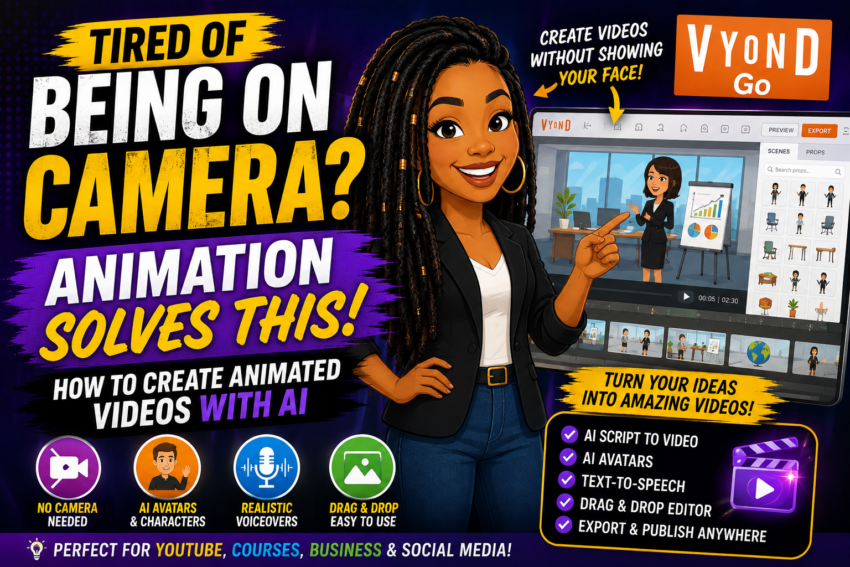
Tired of Being on Camera? Here’s How to Create Animated Videos With AI
You don’t have to show your face every time you want to create a YouTube video. AI animation tools like Vyond can help turn your ideas and scripts into polished videos without you standing in front of a camera.
Try Vyond → ▶ Watch My Tutorial
Can I tell you something?
You do NOT have to be on camera to build a YouTube channel, create social-media content or make videos for your business.
Maybe you don’t like being on camera.
Maybe you’re tired of doing your hair, fixing the lighting and setting everything up every time you need to record.
Or maybe you simply want another way to create content.
That’s where AI animation comes in.
Instead of recording yourself, you can start with an idea or script and use AI-assisted tools to turn that information into an animated or avatar-based video.
🎬 What Is Vyond?
Vyond is an online video-creation platform that combines animation, customizable characters, AI avatars, templates, text-to-speech and generative AI video tools.
With Vyond Go, you can start with a prompt, an existing script, a document or even a URL and use AI to generate a first draft of your video.
You can then edit the video rather than being stuck with whatever the AI creates on the first try.
🎥 Watch Me Show You How It Works
If you want to see how to create an animated AI video, watch my tutorial below.
Don’t Want to Be on Camera?
Try turning one of your existing scripts or ideas into an animated video instead.
Try Vyond →Affiliate disclosure: I may earn a commission if you purchase through my link, at no additional cost to you.
Why Use Animation Instead of Being on Camera?
There is absolutely nothing wrong with appearing on camera.
But it shouldn’t be the thing preventing you from creating.
You don’t have to set up your camera every time you want to make content.
Create content even on days when you don’t feel like appearing on screen.
Use animated characters or AI avatars to deliver your message.
If you already know what you want to say, AI can help turn it into visuals.
From Idea to Animated Video
Idea → Script → AI Generation → Edit → Publish
How to Create Animated Videos With AI
Step 1: Decide What Your Video Is About
Start with the message—not the animation.
Ask yourself what your viewer should learn or understand by the end of the video.
For example:
- How-to tutorials
- Business tips
- Educational videos
- Storytelling
- Product explainers
- Training videos
- Social-media content
- YouTube videos
Step 2: Write Your Script
You can write the script yourself or use an AI writing assistant to help you create a first draft.
The important thing is to make the script sound natural.
💡 Quick Tip
Read your script out loud before turning it into a video. If it sounds awkward coming out of your mouth, it’ll probably sound awkward coming from an AI voice too.
Step 3: Put Your Script Into Vyond Go
This is where AI can save you some time.
Vyond Go lets you paste or upload an existing script and generate a video draft around it.
You can also start with a simple prompt and let Vyond generate both the script and video, or use a document or URL as source material.
Your Script Becomes the Starting Point
Paste your script → Choose your style → Generate → Edit the scenes
Step 4: Choose Your Video Style
This is where things get fun.
You don’t have to make every video look like a traditional cartoon.
Vyond currently supports several approaches, including animated characters, AI avatar presenters, mixed-media videos, stock imagery and other visual styles.
That means your video can match your topic instead of every video looking exactly the same.
Step 5: Choose Your Characters
If you’re trying to avoid being on camera, your character can become the presenter.
Vyond offers customizable animated characters as well as AI avatars.
You can choose characters that better match your audience and the type of story you’re telling.
Step 6: Add the Voice
Now your character needs something to say.
Vyond includes text-to-speech voices, which means your written script can become narration without you having to record every line yourself.
Vyond currently advertises hundreds of text-to-speech options and support for 95 languages across its AI video platform.
Have a Script Ready?
Instead of recording yourself, see what happens when you turn that script into an animated video.
Create a Video With Vyond →Step 7: EDIT What the AI Creates
Please don’t skip this part.
AI-generated does NOT mean finished. 😂
Watch your entire video.
Check the scenes.
Check the timing.
Check the pronunciation.
Check the characters.
And make sure the visuals actually make sense with what is being said.
Vyond lets you make quicker changes in Vyond Go or move the project into Vyond Studio for more detailed editing.
Step 8: Export and Publish
Once you’re satisfied with the video, export it and use it where it makes sense for your content strategy.
That might include:
- YouTube
- TikTok
- Your website
- Online courses
- Business presentations
- Training material
🤖 Want More AI Video Options?
I’ve also tested other AI video tools that can turn scripts and ideas into videos.
See More AI Tools on Success With Trecia →What Kind of YouTube Channels Can Use Animated Videos?
Animation can work especially well when the information matters more than seeing the creator’s face.
💰 Personal finance explainers
📚 Educational channels
📖 Storytelling channels
💼 Business channels
🤖 AI and technology channels
🧠 Explainer channels
📈 Marketing tutorials
🏢 Corporate training
🎓 Online courses
Vyond AI Features Worth Knowing About
Start with an idea and generate a first video draft.
Use your exact script as the basis of the video.
Turn existing documents into video content.
Use an existing webpage as source material.
Use digital presenters instead of appearing on camera.
Vyond offers AI-powered translation into 95 languages.
Want to See the Official Vyond AI Features?
Vyond provides its own documentation explaining how Vyond Go converts prompts, scripts, documents and URLs into editable videos.
See Vyond Go’s Official Features →Vyond Pros and Cons
👍 What I Like
- You don’t have to appear on camera
- Prompt-to-video generation
- Script-to-video generation
- Animated characters
- AI avatars
- Text-to-speech voices
- Editable AI-generated videos
- Multiple visual styles
- Useful for educational and explainer content
👎 Things to Consider
- You’ll still need to edit AI-generated videos
- Some AI features use credits
- Plan limitations vary
- There is a learning curve if you want advanced customization
- Animation doesn’t replace good storytelling
Frequently Asked Questions
Can AI create an animated video from a script?
Yes. Vyond Go can take an existing script and generate an editable video draft using animated characters, AI avatars, mixed media and other visual formats.
Do I have to be on camera to make YouTube videos?
No. Animation, screen recordings, narration, AI avatars and other visual formats can all be used to create videos without appearing on camera.
What is Vyond Go?
Vyond Go is Vyond’s AI-powered script and video creator. It can generate video drafts from prompts, scripts, documents and URLs.
Can I edit videos created by Vyond AI?
Yes. Videos generated with Vyond Go can be adjusted with Quick Edit or opened in Vyond Studio for more detailed customization.
Does Vyond have AI avatars?
Yes. Vyond offers AI avatar presenters that can be paired with text-to-speech voices for videos where you don’t want to use a live presenter.
Is Vyond good for faceless YouTube channels?
It can be particularly useful for faceless educational, business, explainer and storytelling content because you can combine animation, characters, avatars, narration and other visuals without appearing on camera.
Final Thoughts: Stop Letting the Camera Stop You
If you’ve been saying:
“I want to make videos, but I don’t want to be on camera…”
Then change the format.
You can still teach.
You can still tell stories.
You can still build a YouTube channel.
You can still promote your business.
And you can still build an audience.
Your face doesn’t have to be the content. Your IDEAS can be the content.
That’s why tools like Vyond are worth exploring if being on camera is what’s holding you back.
Ready to Create Your First Animated Video?
Take a script you’ve already written and see what happens when you turn it into animation.
Try Vyond → ▶ Watch My TutorialAffiliate Disclosure: This article contains an affiliate link. If you sign up or purchase through my link, I may earn a commission at no additional cost to you.